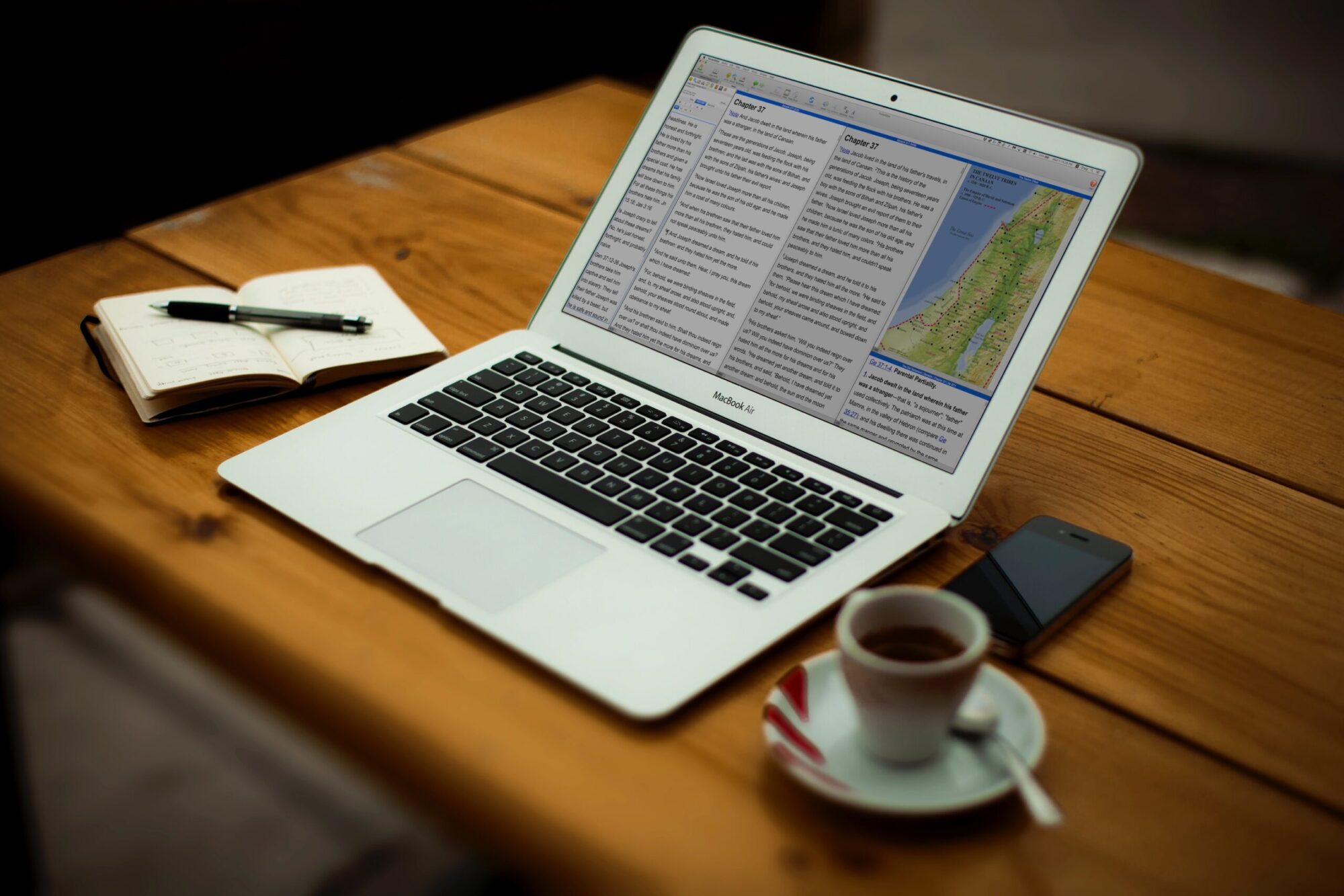
On Tuesday, August 29, 2023 we uploaded a new version of PocketBible for Android to Google Play (version 1.7.9, build 290). This is the first update in quite a while — we’re a little embarrassed to say it’s been about 5 years. Since the end of August we’ve uploaded several revisions — the latest being 1.7.15.
Because of the issues you’ll read about below, it was necessary to get this update released as soon as we could. As a result of jumping 5 Android versions (from version 8 to 13 — that’s “Oatmeal Cookie” to “Tiramisu” for those of you who follow Google’s cutesy naming system for their operating systems), we knew we would discover little things that would need to be fixed right away and so far that has indeed been the case. Updates are documented near the end of this article under “Phase 1”.
Why So Long?
I don’t want to make any excuses but I also want to be honest about what the situation is. You may know that the development team here is pretty small. We don’t have people assigned to each platform. We move from iOS to Windows to macOS to Android as needed. I originally developed our Android app, but pretty quickly passed it off to a more junior person. When that person left, I hired a replacement. About 5 years ago, that person left, too.
By then, the app was in pretty good shape and didn’t need a lot of updates. It had gotten to where I no longer knew my way around the code. And since I’m not an everyday user of the Android platform in the same way I am iOS, the operating system changed to where I no longer knew it either.
So when the Android app eventually needed updating I went to an Android programmer I knew who worked on it as a side gig for a few months. Eventually he took a different full-time job and couldn’t work on it any longer. So I found a really good contract developer who did a lot of the work to bring it into the 2020’s and get us almost up to Android 12.
And then this Bible thing happened…
Why Update Now?
If you’re a regular reader of this blog (that’s about 4 of you I think), you know that earlier this year we discovered a problem in the way Bibles are processed and stored for use in PocketBible. When we first wrote PocketBible, any time a new Bible was released we had to update the code in PocketBible and release a new version. This is because Bibles are very special and form the heart of how PocketBible works. That means any unique aspects of how they interact with other Bibles and with Bible reference books often has to be done directly in the PocketBible code.
So years ago we updated the Bible format PocketBible uses so that these unique aspects could be embedded into the Bible and not require PocketBible itself to be updated each time we released a new Bible. Turns out we didn’t go far enough. We have several new Bibles coming out that are just different enough that they couldn’t be published without updating every version of PocketBible. So we decided to stop what we were doing on the new Windows version of PocketBible and update every other version of the app. Then go back to the Windows version and update it, too, for this new format.
The macOS version with these changes was released a couple months ago. The iOS version is in beta.
And then this Google thing happened…
PocketBible Disabled on Google Play
Google decided late last year that if your app wasn’t built with the latest or next-to-latest version of their SDK, that you couldn’t be on Google Play. (It is more complicated than that, but that’s the net effect.) They said they were going to disable apps starting in May 2023. But they gave us the option to request an extension to August 2023, so we took it.
Then, after acknowledging we had until August, they said they changed their mind and they were going to pull the app in May.
We were right in the middle of macOS and iOS updates at the time and had been planning to get to Android before the end of August, so we have spent about 3 months explaining to people how to side-load PocketBible and bypass Google Play.
This forced us into a two-phase approach to making the Bible-format updates to the Android app. First, we needed to bring it up to date with the latest SDK. Google required version 31 compatibility, but version 33 is the latest so we went all the way to 33. Until that was done, it was pointless to start into the change for Bible files
Phase 1
Version 1.7.10 (September 2, 2023) addressed these issues:
- If you were using an SD card to store your books, they seemed to have disappeared. The method of finding your SD card changed in a recent version of Android OS and PocketBible was looking in the wrong place. It should be able to find them now.
- When using the dark UI theme, the list of books open in the active pane was displayed with gray text on a gray background. Similarly, the pop-up list of recently visited verses was similarly gray-on-gray.
- The dark mode theme was inexplicably using a dark blue color instead of a black color for the top and bottom action bars. Turns out this change was introduced as a debugging tool by a contract developer and we kind of liked it so we left it in. You did not like it. We reverted to black and very dark gray for the action bar, bottom action/tool bar, pane tabs (AFS), and go-to-verse buttons.
- An issue with viewing and saving Autostudy reports (AFS) was resolved.
- Resolved an issue that caused the app to crash when “Buy/Apply Upgrade” was selected from the navigation menu.
- Books that include the Laridian logo on the title page now use our newer blue and orange logo. In the process of doing this we fixed some previously unreported problems with displaying images.
- In the process of doing this upgrade, the minimum supported version of Android OS went from 4.1 “Jellybean” up to 4.4 “Kitkat”.
Version 1.7.11 (September 7, 2023) addressed these issues:
- We thought we had fixed Strong’s number searches but we hadn’t.
- Title page logo image was not being displayed on newly downloaded or moved books.
- Splash screen image was too tall on tablets in landscape orientation.
- Changed the image on the login screen to the new Laridian logo.
- Made internal changes related to how colors and styles are applied in the dark and light UI themes. There could be minor color changes as we seek to better organize the code in this regard.
Version 1.7.12 (September 20, 2023) addressed these issues:
- Re-architected the process of launching the app to get control over the transition from the onboarding slideshow, registration reminders, and registration/login screens to the main book view.
- Addressed a problem where deleting a book would remove it from the list but not actually delete the file.
- Added new UI color schemes for AFS subscribers.
- Minor changes to the default “Light” and “Dark” UI color schemes to improve general appearance.
- Treat the legacy AFS and AFS subscription differently, since features are now different between the two.
- Revert to “no AFS” if the user logs out of their account.
- Show logged-in customer ID, feature set, and AFS expiration date in About box.
- Get rid of boxes around bottom action bar buttons.
- Style the audio and autoscroll context menu bars with rounded corners and slightly more transparency.
- Added an option to control whether or not pane tabs show the book category (AFS). Only show the category when pane is inactive. Active panes always show abbreviation of active book.
- Removed “Exit” from the action bar menu. This is a hold-over from when mobile operating systems did a bad job of managing memory when apps were left running. It’s 2023 and nobody exits apps anymore.
- Don’t do the navigation menu animation demo. We all know there’s a slide-out menu on the left side of the app.
- Updated Help to describe tabbed panes. Include info on turning on/off categories in pane tabs. Document new AFS features.
Version 1.7.13 (September 25, 2023) addressed these issues:
- Restore “Journal” to the navigation menu for Legacy AFS owners. In 1.7.12 it accidentally required an AFS subscription.
- Make standard “Dark” and AFS “Black” themes darker based on user feedback.
- Adjust splash screen blue to match launch icon blue.
- Add an option to disable linked-to verse highlighting.
- Fixed some problems running on Android 4.4
Version 1.7.14 (September 28, 2023) addressed these issues:
- If the user deletes the Users Guide then selects “Help”, it is automatically reinstalled from the app bundle.
- Words of Christ could be unreadable or appear be displayed in the wrong color when certain highlight colors were used and “words of Christ in color” option was turned off.
Version 1.7.15 (October 6, 2023) addressed these issues:
- Resolved an issue where bottom action bar was getting partially hidden (or over-compensated for) under certain circumstances related to pixel density:
- Split screen
- Side panel open
- Note editor (or any time keyboard was showing)
- Addressed several aesthetic issues when font size was set to its largest and smallest sizes in Android Settings and when “make everything bigger/smaller” was set to its extremes:
- Pane tabs (AFS).
- Note title above editor.
- Go-to-date dialog for devotionals
- Go-to-verse spinner and book/chapter/verse picker for Bibles.
- Margin preference screens
- Splash screen
- Made the text color used for book titles on the library lists have more contrast.
- More correctly position the autoscroll and audio toolbars in more circumstances (AFS).
- Addressed further problems with saving and printing Autostudy reports (AFS).
Phase 2
The above just gets us to where we can start doing the work we came here to do. We need to port the C++ code that has already been implemented in PocketBible for macOS and iOS to Java for Android.
Beyond
Once we get this work done, we hope to more actively update the Android app. Admittedly, it has been a bit of a problem child over the years and we’ve let it get away from us. But more importantly, finishing work on this version will let us return our focus to PocketBible 3 for Windows, where we have to do it all again in yet another programming language.
Thanks for your patience.
I just wanted to post thatbI’m one of the three.
I may be reader number four. I didn’t even know this blog existed; I have been a “happy clam,” inside my shell. 🙂
I check the Laridian blog every so often to see what’s going on. I’m praying you’ll find more good developers for your team. I also check the Laridian website for new and upcoming offers.
Very glad to see these updates coming it’s been frustrating in some areas such as restrictings on accessing Autostudy and uploading user created books. I’m sure the wait will be well worth it. God Bless you all!
I may be old school, but I still use an RSS reader (Flym), which tells me about blog updates. #5
I may have counted you in the original 3. 🙂
Sounds like you have a real mess on your hands. I love my pocketbible. I can’t imagine living without it.
My question is why can’t you make the app borders changeable? You make almost everything else changeable. The all black makes the app look ugly. At least the dark blue gave it some contrast. The light mode is still all drab grey. Making the last 15 verses black really helped. It also would be nice if you could redact the last 15 verses by just swiping side ways.
From everything you have said about all the new programming you have to do I am sure you don’t want to increase your burden. Maybe some day you can update the dictionary to have memory of past words and pronunciation.
Thanks for keeping the app up to date!
I don’t see it as a “mess” as much as I see it as a “challenge”. Regarding the “borders”: The action bar across the top is a system element. It belongs to Android. Same with the toolbar or bottom action bar at the bottom. Programatically, they are colored in a different way (i.e. using a different method) than the Bible text window. When the dark UI theme is selected, the top and bottom bars are black (actually, very dark gray). This is exactly the same as it was in 1.7.6 and earlier. They were briefly colored an odd shade of blue in 1.7.9, but that was actually a mistake and we got a lot of negative feedback on it. So in 1.7.10 we changed the dark UI theme back to all black/dark gray the way it was before. I’ve made a note to look into giving you more options but right now it’s low-priority as you can imagine.
Light mode didn’t change, either. It might be slightly darker light gray than it used to be, but it’s roughly the same.
Thanks for the feedback both here and what has been passed along to me from you via tech support.
I realize somethings are greater priority than others. I see the borders everytime I open pocketbible and it’s drab. Color would make it more attractive. Other changes may be too costly. I try hard to support pocketbible by keep buying resources to study with. (I will never buy a book by N.T. Write!
I have a in print book I bought 15 years ago that he made a heretic statement about Jesus’s righteousness that was totally wrong!)
Thanks for all your help!
Lord bless you!
Well, apparently I’m somewhere up there in the reader count. Been following this for some time, though I’m “late” to PocketBible in that I only discovered it w/ the old Windows Mobile/PocketPC platform – there weren’t a lot of options back then. Been using ever since and enjoyed it.
I noticed the Android update and didn’t think too much of it because it _had_ been pretty stable for me overall. Happily, I was stable through that period with the Play store issues, though I have sideloaded some apps before.
I’m glad you all managed to get the upgrade working and published and look forward to seeing that new Windows app when it’s ready. I use the old PB for Windows Store (beta) regularly on my Surface Tablet for teaching/SS/notes in class and sermons.
Thank you for all the improvements you are making for this app.
I noticed that the Android app still frequently crashes, especially when I start the app. I have to restart the app several times before it cooperates. I’m using a Samsung phone and tablet both running One UI 5.1 (Android 13). I still like the app. It has a nice new look and feel. Keep up the good work.
I’m running the same configuration on an S22 phone but so far not having frequent crashes. If you identify any behavior that increases the chances of crashing, let us know at support@laridian.com. It’s possible you’re making regular use of different features and leaving the phone in some configuration that I don’t frequently try.
The only time I ever see the app crash is upon a start up that gets interrupted by a screen rotation. I know this happens on android devices and my iPad. If I can recreate it on an iphone, I’ll add another comment.
I check in pretty often too.
Thanks for the new Android version. Thought I’d mention the little glitch where the bottom tool bar does not show up on Android tablets, it’s covered up by the Android toolbar. Love to see that fixed in an update.
That’s working fine here and for others whom we’ve heard back from. If you have a particular configuration where you’re still seeing version 1.7.11 being covered by the navigation bar, verify you’re running 1.7.11 and send a screenshot to tech support and tell us how to make it happen. support@laridian.com is the address.
It’s working now. I had to check the “will not be hidden” options in Control Settings. Once I did that the action bar appeared. Then I unchecked the boxes and all appears to be working as expected. Thanks!
Ah, it hadn’t occurred to me that you might be double-tapping to hide the action bars. That might appear as if the system navigation bar was overwriting the bottom action bar again. Thanks for letting me know how it worked out.
In the latest version (1.7.12) I noticed on my Samsung A03s that the Journal tab was missing. I have the Journal tab however on my Samsung tablet. I also found that over the last couple years PocketBible frequently crashes especially when first opening the app. It still has this same issue to this day. I really love this app and I use it everyday, and also when I’m at church and Bible studies. Thanks for helping to improve a good app and working out the bugs piece by piece.
We’re not getting this level of crash reports from others. Hopefully you’ve talked to Tech Support to try to chase it down.
The Journal feature is part of the Advanced Feature Set. Go to the navigation menu and select About PocketBible to see if you have the Advanced Feature Set. If it says “standard features” or something like that, go to the Library button (at the top of the screen; looks like books on a shelf) and choose Cloud. Give it a couple seconds to update the list of books you own. In the process, it will also see that you own AFS. Then go back and see if you have the Journal feature. If you continue to have trouble, contact Tech Support at support@laridian.com
How many developers provide the explanations that Craig gives? None that I know of. Not only does he give excellent explanations but he is quick. No waiting for any reply. I’m sorry Android is such a challenge. I know Craig mentioned many times over the years how iOS was SO much easier to program than Android. Thanks for tackling all this to keep us on board, Craig. I’m always curious to know what’s going on but I don’t make it a point to get to the blog on my phone which is my main platform these days. I’ll have to change that. What an effort for 4 readers! All your efforts are fully appreciated, Craig!
Thanks, Karla. We walk a fine line between maintaining a certain amount of privacy about how we conduct business and being open about what we’re doing so people understand where we’re at. It’s always funny when people come to bizarre conclusions about what we’re doing with our time, staff, and dollars when I’m sitting right here typing publicly about exactly what we’re doing. 🙂 I find the technical details of what we do fascinating, since that’s what I do every day, so I enjoy sharing that info. I’m not so much into the politics and intrigues of Apple vs. Google vs. Microsoft, but I have opinions about using their tools to develop for their platforms and I’m always happy to share those if someone is interested. I’ll also talk Bible and doctrine with people, since that’s what we are all about, but that can get tricky since people come from diverse backgrounds and points of view. I could have others here speak for me or for the company, but I’ve learned from doing that in the past that our PocketBible users appreciate hearing directly from me since it leaves no question about whether or not they’re getting the truth about what we’re doing or what we think. They may not like what I say at times, but they at least they know they’ve been heard and are getting a straight-up reply from the boss. 🙂
BTW: I may not be a regular Blog reader, but like many, many, many others, I have been using PocketBible since I installed it on my Palm Z22 (back in the days!).
I like using my iOS,- now iPhone 14+ on unlimited data, – PocketBible, but my “HQ”, even now I’m retired, is my desktop PC & Laptop, mainly ’cause I can’t/won’t give up my MS Natural Keyboard Pro from way, way back when (I’m 76) and no virtual keyboard will convince me to do so, – at least not so far. Just picked up an Android 13, Samsung A8 Tablet a few weeks ago, so I guess by God’s grace yet again I slipped into a pretty flawless Android PocketBible (thanks Craig and Dev team!!!).
Thanks for the kindness of your considerable good work on the various platforms, and I yet look forward to a ‘reformed’ PocketBible for Windows … someday. God bless.
Long ago Laridian had a separate app for the pocket pc called memorize. Maybe further down the road I would like to see a memorize verse, etc. feature somehow built into not only the android app but on the other os platforms as well. I believe Scripture memory is very important. I know this will take some work, but I believe it’s a good suggestion. Thanks again for helping to build a great app.
Jeff Wheeler wrote Memorize! as a programming exercise for Windows CE if I recall correctly — maybe it was Palm OS. He would do that to teach himself a new platform before working on PocketBible. Our PrayerPartner app was the same way — Jeff wrote it as an exercise. Neither one ever really caught on with people and it became difficult to justify the cost of keeping someone on the project.
Remember the program on iPad that would pronounce the names in the Bible for you? I know now that android and iOS will both read the entire Bible for you, but I question the enunciation some times. I did eventually come across names that were not in that program. There are a lot of people that could benefit from such an app, but I question whether they would even take the time to learn if they had such a thing.
Did we lose the parsed view of the Greek New Testament in this updating? The books are there, but just the Greek Text, no parsing.
A couple of your questions and comments here would be better if addressed to tech support. For this one it sounds like you’ve turned off word attributes. Tap the omega button (Android) or alef/alpha button (iOS) to toggle this feature on and off.
Correct! That was my problem! Thank you