
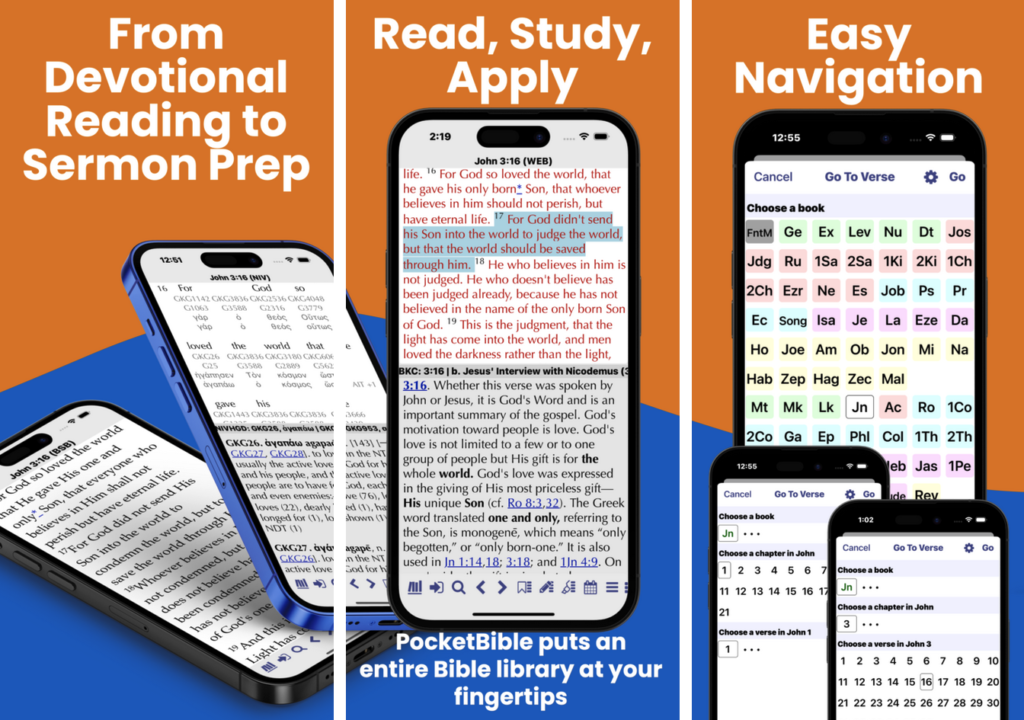
On Friday, October 6, 2023 we uploaded version 4.16.0 to the App Store. Apple approved the new version the next day.
This version was released primarily to make PocketBible for iOS compatible with our latest changes to our Bible format. These changes allow us to include data with each Bible that tell PocketBible how Bibles should interact with each other. This data used to be included in PocketBible itself, but that meant that we often had to update PocketBible on all platforms simply to release a new Bible. These changes will help us avoid having to do that.
In addition, several new features, enhancements, and bug fixes were added:
NEW FEATURES
- Added a “direct keyboard entry” go-to-verse style to better support hardware keyboards on iPad.
- Added press-and-hold link previews for most types of links in the note viewer.
- Added ability to link to document fragments in notes. (Use plain text editor to add id= attribute to a tag; link with href=”#id” syntax.)
ENHANCEMENTS
- Do a better job of managing the toolbox size when using a hardware keyboard attached to an iPad.
- Support more types of link previews in book and Bible text. Change the way they are displayed to take up no more of the screen than required.
- Accommodate more types of links being pasted into notes from PocketBible books and Bibles.
- Added VoiceOver labels and hints to many more buttons.
- Slight visual changes to the shape and borders of book panes to provide better definition when panes are displayed in tiles.
- Added the version numbers of the Bible reference data in a Bible to its “About This Book” screen.
- Users Guide is automatically re-installed on request if accidentally deleted.
BUG FIXES
- Changes in the way the iOS speech synthesizer handles empty strings passed to it would cause PocketBible to sometimes repeat a verse or paragraph when reading it.
- Duplicate notes could be created while changing the name of a Journal note. (AFS)
- Links to websites in notes could fail if the URL contained spaces.
- Text in alert dialogs was difficult to read when using a light color scheme while the device is in dark mode or a dark color scheme while in light mode.
- Book, chapter, or verse numbers could get truncated in the “spinner” go-to-verse style.
- The “spinner” style go-to-verse dialog wasn’t being displayed the first time it was invoked after having been selected in Settings.
- The app could crash when a shortcut key was used to open the “today” menu on an iPad with a hardware keyboard.
- Long-press on a toolbar button in landscape mode on an iPhone activated the wrong button.
- Long press on go-to button to see list of recent verses would not display correctly if the active book was not a Bible.
- Selecting a recent search caused the search to be performed but the results were immediately dismissed.
- Login/Create Account screens now have dark background when dark color scheme is active.
Note on Account Deletion
Apple initially rejected this version of the app because it doesn’t provide a way for users to delete their account. This is a new requirement and we knew about it but didn’t realize it had taken effect. Apple was gracious enough to approve the app, but we’ll have to add account deletion in the next update.
The reason we don’t currently have this in any of our apps is because it is “dangerous”. Consider that account deletion will do the following:
- Your entire account is removed from the server, including your transaction history. As a result, PocketBible is affected on all platforms even though you’re doing the removal from an iOS device. You won’t be able to download books or have access to Advanced Feature Set features on Android, macOS, or Windows when you delete the account. This cannot be undone.
- All of your notes, highlights, bookmarks, and devotional reading progress are permanently removed from the server and from your device. This cannot be undone.
- All books, Bibles, and AFS features are removed from your device except those that came bundled with the app.
- Since your account and transaction history is deleted, no refunds can be issued for products purchased in the last 30 days that would otherwise be eligible for refund.
- All settings and user preferences are removed from the device. All search and navigation history is removed. The app will restart and will believe you are running it for the first time.
Even though we plan to give you more than one opportunity to cancel the deletion sequence, once you confirm it twice, we will proceed and it can’t be undone.
We’ve always made account deletion something we do by request to tech support. If we see that a user has a lot of books or a not of notes/highlights/bookmarks, we’ll give them the opportunity to change their mind before automatically continuing. We’re sure we’ll have more than one unhappy user as a result of this Apple requirement.
Fun fact: PocketBible allows you to view your Cloud Library download account even if you refuse to log in. That’s because a few years back there was a reviewer at Apple who could not figure out the difference between “shop for Bibles and books” and “access your download account”. He told us the user has to be able to shop without logging in, then he showed us the error message he gets when he select “access your download account”. We pointed out how to get to the built-in store but he wouldn’t budge. So when you go to the Cloud Library screen without logging in, we give you the opportunity to log in, but if you choose not to, we show you an empty list. That made the Apple guy happy and they approved the app. 🙂
On account deletion: I assume you can’t do a delayed deletion. That is, you mark the account as pending deletion and then delay the actual deletion by a short period of time (7 days minimum) so the impact would be known.
The problem with immediate deletion is that it irreversibly affects all platforms and could be done by someone else (for example: many parents let their children play games on their smartphones). I know I’ve selected options in other apps which are poorly documented and have regretted, once I realized what happened, that I couldn’t undo that action.
(Apple is one of the worst offenders at not documenting what various settings will impact. For example: I can’t delete Safari history if Content and Privacy Restrictions is enabled (or some sub-option) yet Safari can add to the history. This interaction is not in any documentation that I know of.)
At minimum, I would assume that account deletion would require the ID and password or that this requirement could be selected by the owner. I, personally, would greatly be upset if I lost everything; especially if purchase history is deleted and everything would need to be repurchased. Note that there isn’t a way to make a local recovery backup but I wouldn’t be surprised if Apple would require that also be deleted.
I also would think that an active AFS subscription would imply that you might not want the account delete or that it requires talking to the support desk.
All of these are the reason we make it slightly hard to delete an account.
We had one today that tech support asked about. The person was deleting because we did not offer two Bibles they wanted. Turns out we do offer one of them and that nobody offers the other. I suggested we clarify the situation and give them a chance to say no.
My current plan for account deletion has softened somewhat. The last screen before we delete will suggest alternatives to account deletion. And I’m going to leave everything as-is on their phone. This gives them an opportunity to re-register and save their notes, highlights, and bookmarks if they realize they made a mistake. And while we technically could reconstruct your transaction history, your notes, highlights, and bookmarks will be gone off the server for good.
This is a stupid requirement, but it’s consistent with Apple’s policies about privacy. The decided a while back, for example, that the random “device ID” on each phone somehow was “personally identifiable information” and told us we couldn’t use it. So now we create a different random device ID and use that. And the world is a safer place as a result, I guess.
I can not see a reason to ever delete my pocketBible account! My iPad is old and small on memory. I have to delete my PB program completely, do my iOS update, then reinstall everything every time Apple sends it a new iOS update. I hate that, but cannot yet justify the funds for iPad replacement. I am still waiting for someone to gift me a MAC so I can use the platform that I gave money to for development. I guess if I had the MAC, I would not be in such a big hurry for the new Windows version. LOL
The motivation is privacy. Big companies like Facebook, Amazon, and Google really abuse your data. They deflect criticism by pretending that the real culprits are all us honest companies, so they make us provide ways that paranoid users can delete their information. We already have that capability, but until now it wasn’t accessible from inside our apps. It’s unlikely we’ll build that capability into any platform where it isn’t required, because it’s such an awful idea. On the other hand, we’re often not the best judges of what is an awful idea and what isn’t. We’ll see how long it takes for someone to delete their account in an attempt to clear their search results or toggle Strong’s numbers. 🙂