 As you know, our English Bible is translated from the original Hebrew, Aramaic, and Greek texts. Jesus probably spoke Aramaic, so even the direct quotes attributed to him in the New Testament were translated into Greek before someone translated them into English. Portions of the King James Version were translated from a Latin translation of the Bible, which itself had been translated from Greek documents that were no longer in existence. The Latin text was translated back into Greek (without reference, obviously, to the missing originals), then the Greek was translated to English. (We’ve since found copies of those missing Greek manuscripts, so modern translations are on a much firmer foundation.)
Translation is an art, not a science. It requires command of both the source and target languages. This is complicated by the fact that biblical Hebrew and Koine Greek are no longer spoken, so there are no native speakers from whom to learn the nuances of the language. Every translator differs in his or her choice of words and phrases to translate the original.
There is a contingent of Christians today who feel the newer translations are being manipulated to promote a particular agenda. These people would never consider that the older Bibles they prefer would have been subject to the same biases, but they were. For example, the Greek word βαπτίζω (baptizo) literally means “to dip or submerge”. But since the English-speaking church was no longer immersing believers in water but rather sprinkling them, the translators were in an awkward position. Rather than point out the error in practice by the church of the day, they invented the English word “baptize”, which is just a transliteration of the Greek word βαπτίζω (that is, it is a made-up English word which, when pronounced, sounds like the original Greek word). Errant sprinklers could claim to be “baptizing”, just like they did in the Bible, without having to explain the change in the mode of baptism compared to the New Testament examples.
It’s pretty easy to get a rise out of Christians who are ignorant of the nature of translating from one language to another by suggesting that nefarious forces (Satan himself being on the top of the list) are working to subvert the work of God by causing the Bible to be mistranslated. The Facebook post below is an example. I first saw a version of this post in 2015. It makes a number of false claims, urges the reader to try to find verses that don’t exist in most Bibles published in the last 40 years, then uses that to “prove” that publishers are actively promoting a gay and satanist agenda by altering the text. Altering it from what the post does not make clear, nor does it explain how Luke’s failure to mention that Pilate had a tradition of releasing a prisoner during the Passover celebration advances the gay or satanist agenda.
The new version of this post I saw today added the ESV to the Bibles owned by HarperCollins (which is false), and unnecessarily took a swipe at the Olive Tree Bible App that wasn’t there last time I saw it. Here’s the post:
VERY CRITICAL ALERT!!!
NIV was published by Zondervan but is now OWNED by Harper Collins, who also publishes the Satanic Bible and The Joy of Gay Sex.
- The NIV and ESV has now removed 64,575 words from the Bible including Jehovah, Calvary, Holy Ghost and omnipotent to name but a few…
- The NIV and ESV has also now removed 45 complete verses. Most of us have the Bible on our devices and phones especially “OLIVE TREE BIBLE STUDY APP.”
- Try and find these scriptures in NIV and ESV on your computer, phone or device right now if you are in doubt
- Matthew 17:21, 18:11, 23:14;
- Mark 7:16, 9:44, 9:46;
- Luke 17:36, 23:17;
- John 5:4; Acts 8:37.
…you will not believe your eyes.
Refuse to be blinded by Satan, and do not act like you just don’t care. Let’s not forget what the Lord Jesus said in John 10:10 (King James Version).
There is a crusade geared towards altering the Bible as we know it; NIV, ESV and many more versions are affected.
THE SOLUTION:
If you must use the NIV and ESV, BUY and KEEP AN EARLIER VERSION OF the BIBLE. A Hard Copy cannot be updated. All these changes occur when they ask you to update the app. On your phone or laptop etc.
Laridian’s Response
A PocketBible user sent the above to Tech Support and asked if this horrific news was true. Here’s how we replied:
First, this post is old. It first circulated in 2015. Second, it represents a misunderstanding of everything it reports.
The NIV text was translated and is owned by Biblica (The International Bible Society), not Zondervan. Biblica is a 200-year-old organization that translates the Bible and distributes Bibles to various language groups around the world. The ESV is a revision of the Revised Standard Version (RSV), which itself is a revision of the American Standard Version (ASV), which is an americanized version of the Revised Version (RV), which was, in the 1880’s, a modern-language revision of the King James Version (KJV). The ESV is owned and distributed by Crossway Bibles, not Zondervan.
The right to publish and sell the NIV in the US is held by Zondervan under license from Biblica. Zondervan and Thomas Nelson are both owned by HarperCollins. HarperCollins is the publisher of a wide variety of books including those mentioned in the post. But neither HarperCollins nor Zondervan are involved in the translation of the NIV. That started over 60 years ago by the New York Bible Society, which became the International Bible Society, then Biblica.
The right to publish and sell the NIV outside the US is held by Hodder and Stoughton, a secular publisher in the UK. The post doesn’t mention them for some reason, choosing instead to focus on HarperCollins, which it claims owns the NIV, which it does not. And neither company has any rights in the ESV.
Let’s look at the other claims:
The NIV and ESV has now removed 64,575 words from the Bible. The grammatical error (“has” instead of “have”) resulted from an illiterate person, perhaps the person who forwarded this to you, adding “and ESV” to the original post from 2015. That makes the claim even more questionable, since it would be odd that two entirely different translations had each removed exactly the same number of words.
What were these words removed from? “The Bible” is not a single document that you can point at or hold in your hands. It is a collection of writings, written over some 4000 years by 40 or more authors, in Hebrew, Aramaic, and Greek. We have multiple copies of portions of it in the original languages, and they differ from each other. This is more true in the New Testament than the Old, but it is true to some degree throughout. The job of Bible translators is to choose the versions of the originals they want to work from or think are authoritative, then translate those into English. In doing so they do not remove words from the original text; they translate from one language to another. Translation is not a word-for-word, mechanical task. Just comparing the number of words used in one translation versus another does not tell us anything about the relative quality of either translation.
The author seems to be suggesting that the newer translations remove words from an older, more authoritative translation. Which one? The post doesn’t say. And why would that fact alone matter? For example, newer translations “remove” a number of words from the King James Version, including thee, thou, ye, comest, goest, conies, kine, and hundreds of others. Most have fallen out of use or changed their meaning over the centuries. This isn’t bad, it’s necessary if we who speak the English language are going to understand it.
The specific words cited as removed are not removed as much as they are replaced. In particular:
- “Jehovah” is an older (and many argue less accurate) attempt to transliterate the Hebrew word יהוה (often called “the tetragrammaton” — the 4-letter Hebrew spelling of God’s name). Many newer Bibles translate it as “Yahweh”. I believe the NIV and ESV use the convention of translating it as the word “Lord” in all caps or small caps (LORD or Lord).
- The word “Calvary” as a translation for the place where Jesus was crucified is completely wrong to begin with. The Greek word used in the Gospels is Κρανίον (kranion or “cranium” for the Hebrew golgotha “skull”). “Calvary” is a transliteration of the Latin Calvariae Locus, which is the term used in the Latin Vulgate to translate Κρανίον. To insist that we continue to use a made-up word based on Latin instead of a direct translation of the Greek or Hebrew term would be identical to insisting that we refer to God by the made-up name “El Senior” because it is an English transliteration of the Spanish El Señor, the name commonly used for God in Spanish Bibles.
- The term “Holy Ghost” is translated “Holy Spirit” in newer Bibles because the meaning of the word “ghost” has shifted over the years.
- “Omnipotent” is used only once in the KJV, in Revelation 19:6. It is used as a title for God: “…for the Lord God omnipotent reigneth.” The Greek word is παντοκράτωρ (pantokratoros) which comes from the Greek word for “all” and the Greek word for “strength or might”. The other 9 times this word is used, the KJV translates it “almighty” (which is and adjective meaning “all powerful”). So if the NIV and ESV are wrong for “changing” this word from “omnipotent” to “almighty”, then the KJV is wrong for doing the same thing in 9 different places.
I see they’ve added a mention of the Olive Tree Bible app in this version of the post. Interestingly, Olive Tree is also owned by Zondervan/HarperCollins, which is not mentioned.
The post claims the NIV and ESV have removed 45 complete verses (though it lists only 10). Again I ask, “removed from what?” The post doesn’t say. The specific verses cited are present in some older translations of the Bible because the Greek manuscripts from which they were translated are actually newer (that is, they date from a later time in history) than the more recently discovered and older manuscripts used by the NIV translators. Because the older manuscripts are closer to the originals in time — that is, they went through the copying process fewer times — they are believed by modern translators to be more accurate. So it is not the case that these verses have been removed from newer translations like the NIV, ESV and many others, but rather that they were added by the copyists of the manuscripts upon which older versions, like the KJV and ASV, are based. It could be accurately argued that the “removal” of these 45 (or 10?) verses makes the NIV and ESV more accurate translations than the older ones the author prefers.
The post concludes by recommending that you buy and keep an earlier version of the Bible without saying which one. Most posts like this come from people who prefer the KJV. The KJV can be shown to contain thousands of errors in printing and translation, including one edition that said “thou shalt commit adultery”, and another that transgendered Ruth, referring to her as “he”. The KJV is where we get the phrase “strain at a gnat” where the Greek is more accurately translated “strain out a gnat” (“You strain out a gnat but swallow a camel.”)
There is no perfect translation of the Bible, and there is no single original-language source from which to translate. Posts like this one come from people who are ignorant of the history of transmission of the Bible, the process of translation, and the business of Bible publishing. Please don’t give these people a bigger platform by reposting their nonsense.
The illustration at the top of this article is from a Facebook group called “Satanic/Luciferian Gay Community”. It’s difficult to find an image to illustrate this article that isn’t more offensive than it needs to be. I thought this one looked better than the others I found. Note that the Satanic/Luciferian Gay Community has nothing to do with propagating this story or mistranslating the NIV. I just used an image from their Facebook page.






 Today Apple approved PocketBible 4.14.1 for distribution through the App Store. This version coincides with the release of iOS 14, and while it doesn’t necessarily take advantage of every new feature of this latest version of iOS, it should work better than the previous version did.
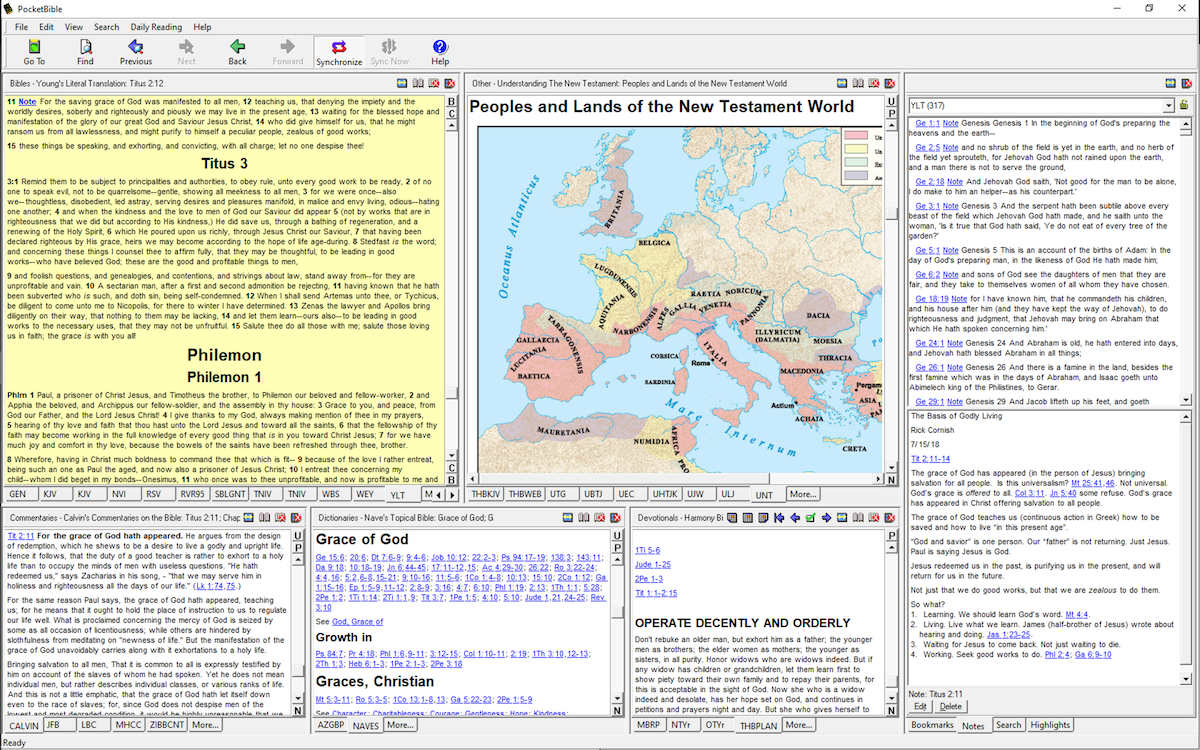
 We’ll take what we’ve learned in the last 20 years about how you use our apps for Bible study, both on the desktop and on your mobile device, and apply it to a fresh, new user interface that draws from our iOS and macOS apps.